Vectronis Business connects AI-assisted bookkeeping, order processing and payroll with collaboration with your fiduciary adviser. Your team, customers and documents share one context, from the first enquiry to the reviewed accounts.
The MCP interface connects Vectronis Business to compatible AI assistants and agents through an open standard. Authorised information and tools provide context for answers and prepared actions, such as work on a customer order. Access and changes follow the permissions you grant.
Less copying between business software and AI.
Work with customers, tasks and documents in context.
Connect compatible assistants and extend workflows without redesigning every integration.
Preview / Vectronis Business
What Vectronis Business offers.
AI-assisted bookkeeping
AI reads invoices and receipts, suggests account and VAT assignments and helps reconcile bank transactions. Discrepancies and missing information are flagged for review. Every proposal stays linked to its source document; you review and approve the entries.
AI-assisted order processing
A connected workflow connects the customer enquiry, quotation and invoice. AI helps prepare wording and line items, brings customer information together and highlights outstanding steps. Services, dates and project time remain linked to the order; you approve binding documents.
AI-assisted payroll
Support for preparing monthly payroll: AI helps bring together employee details, working hours, absences and variable pay, explains changes and flags missing information. Draft payslips follow the configured rules and are reviewed by an authorised person before approval.
Connect with your fiduciary adviser
The interface connects your business with its external accounting adviser. Share approved receipts, entries, reports and payroll documents selectively. Roles and permissions limit access, while questions and corrections stay linked to the relevant record. Work from the same information without repeatedly assembling document packages.
AI team and tasks
View tasks by progress, answer questions and review concrete proposals. Vectronis Business shows responsibilities and results, with controls to pause, resume or cancel eligible tasks. This makes it easier to see what needs your attention and what has been completed.
Knowledge and notes
Find information, check its source and correct knowledge entries with a reason. Bring notes into context when preparing a meeting. Nextcloud notes and deliberately imported Apple Notes copies remain distinct; a copy leaves the original unchanged and does not synchronise automatically.
Appointments and contacts
View selected calendars and address books together, find appointments and open contact details. Sources, shared fields and editing permissions remain visible. Calendar handling includes date ranges and recurring events; revision checks help detect changes made in the meantime.
Receipts in context
Create a receipt draft, add pages and check its title, order and destination before filing. Existing processing distinguishes pending work, items needing review and confirmed filing. The document, PDF and destination are checked again so a started import is not mistaken for successful archiving.
Calls in your working day
Review call history, the phone directory and voice messages in dedicated views. Vectronis Business brings together phone profiles and the processing status of notifications. Opening a voice message remains distinct from resolving the matter, helping you follow up and prepare the next step.
Electronic banking interface
Import account transactions through the electronic banking interface. Match bank transactions to receipts and invoices and identify unresolved differences. Project time stays linked to the customer order, supporting processing and billing. Keep effort, services and payments in context.
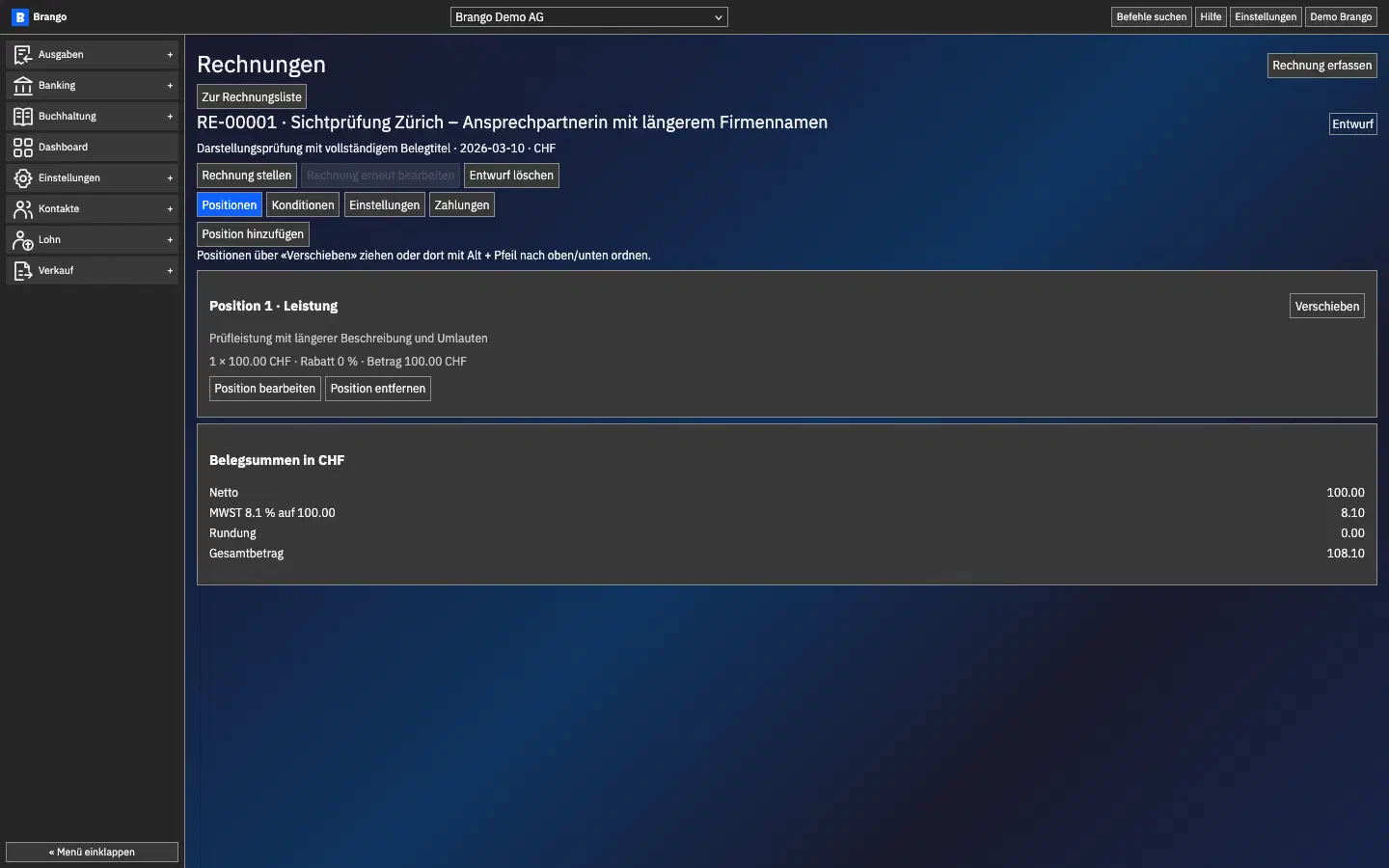
Invoice draft with line items and totals
Invoice line items, VAT and totals together. Brango view with test data.
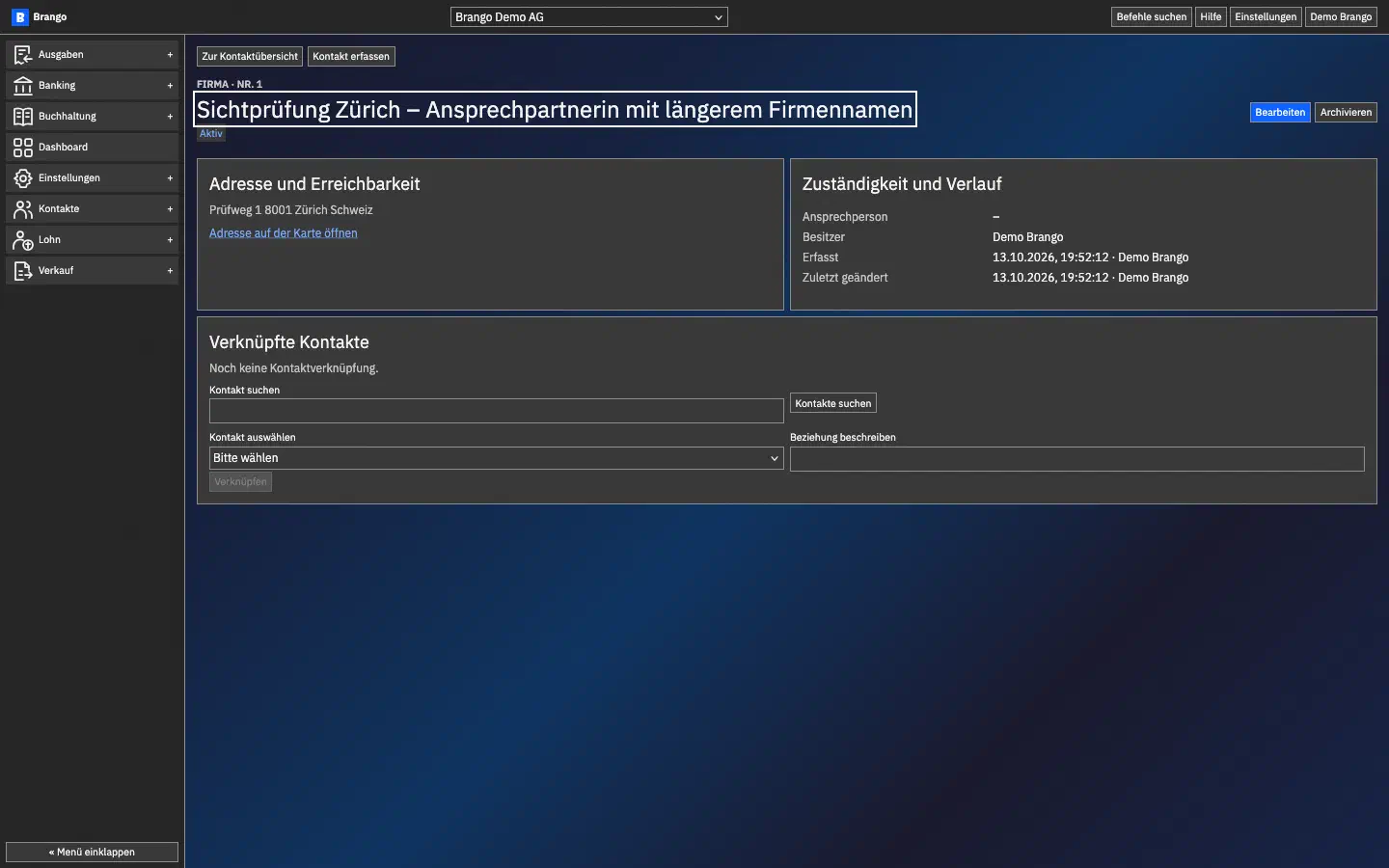
Contact details, responsibility and links
Contact details, address, responsibility and linked records in one place. Brango view with test data.
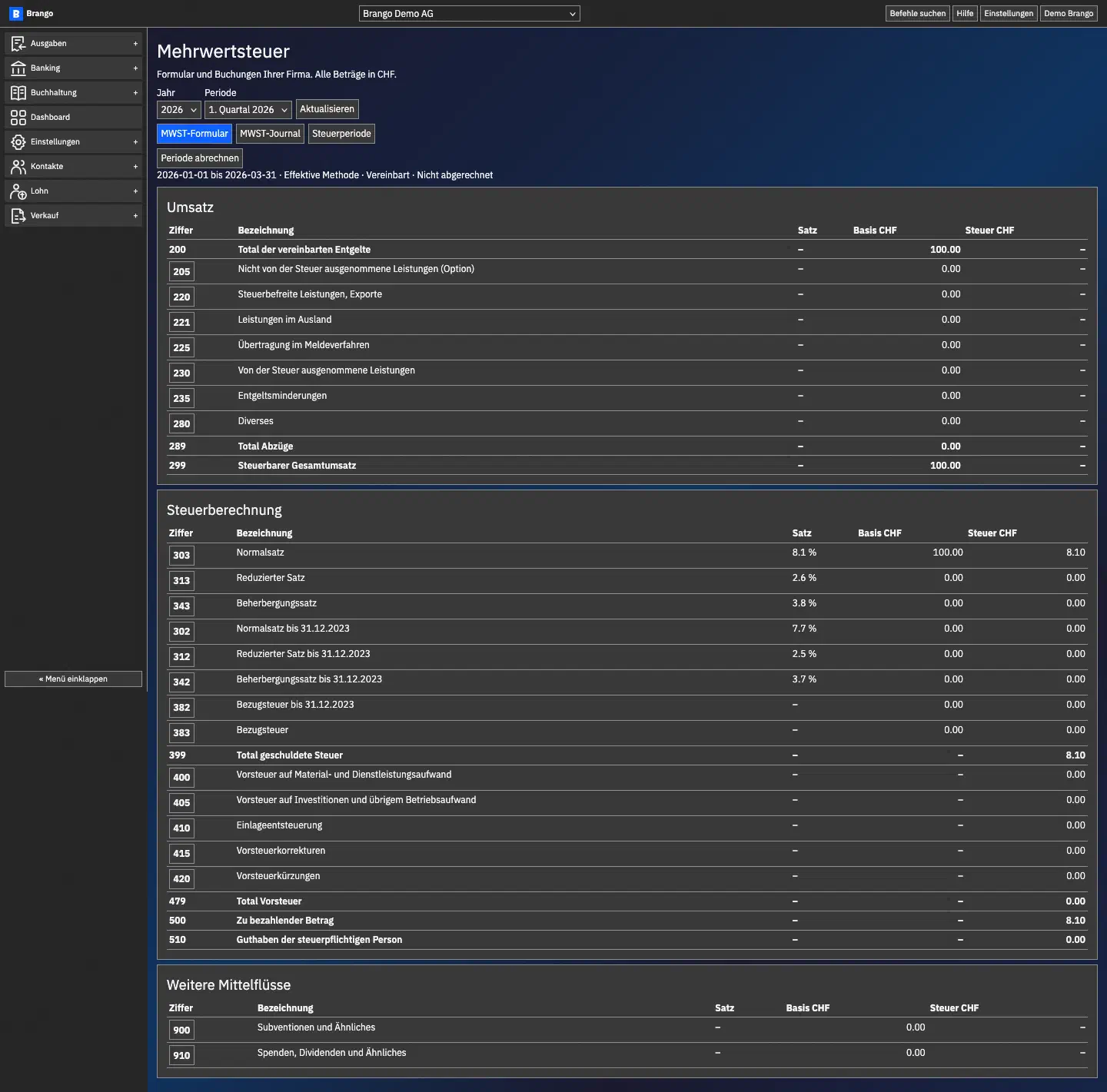
VAT by reporting period and form section
VAT form with reporting period, numbered fields, turnover and tax. Brango view with test data.
One workflow for your business
A customer enquiry becomes a quotation, an order and an invoice. Services and project time stay connected; receipts and bank transactions provide the context for bookkeeping. AI helps prepare the work, identify missing information and clarify the next step. You review and approve the results.
Payroll and collaboration with your accounting adviser belong in the same workflow. Authorised people receive the relevant documents, with questions linked to each record. Tasks, contacts, calendars, knowledge and notes support the commercial work so your team shares the same information.
Open and extensible
Vectronis Business is open source. MCP connects business processes with compatible AI assistants. You decide which information and tools are accessible and who may approve changes.