Cases and evidence
Bring the brief, questions, original files, statements, notes and findings into a single case. Citations and processing states remain linked to the corresponding evidence.
Vectronis OSINT
Vectronis OSINT connects research with digital documentation. Collect evidence, examine people, organisations, events and places, and keep findings linked to their original sources. Five workspaces lead from cases and evidence through analysis, maps and search to results.
Discover Vectronis OSINTFor Mac and Linux, with suitable self-hosted server and NAS environments.
MCP · Model Context Protocol
The MCP interface connects compatible AI assistants to authorised case context and available tools. Documents, citations and structured results retain their context. Case and source permissions also apply to AI access; local models are the default.
Preview / Vectronis OSINT
Bring the brief, questions, original files, statements, notes and findings into a single case. Citations and processing states remain linked to the corresponding evidence.
Examine people, companies, documents and events as a relationship network. Focus views, matrices, timelines and comparisons offer different perspectives on the same data.
Use places, addresses and coordinates in case context. Convert coordinates to addresses and look up associated residents, businesses and phone numbers in public directories. 2D/3D views, layers and distance measurement complement the map.
Turn unstructured documents, notes and web content into structured, analysable data. Local AI helps identify and map information while preserving source references and human review. Exact calculations use deterministic data operations.
Combine findings, original citations, counter-evidence and open questions in reports. Saved views, tables and open export formats support sharing and independent review.
Combine self-hosted infrastructure, local AI, case permissions and a traceable editing history. Internet access is deliberate; external sources and models depend on permissions and actual availability.
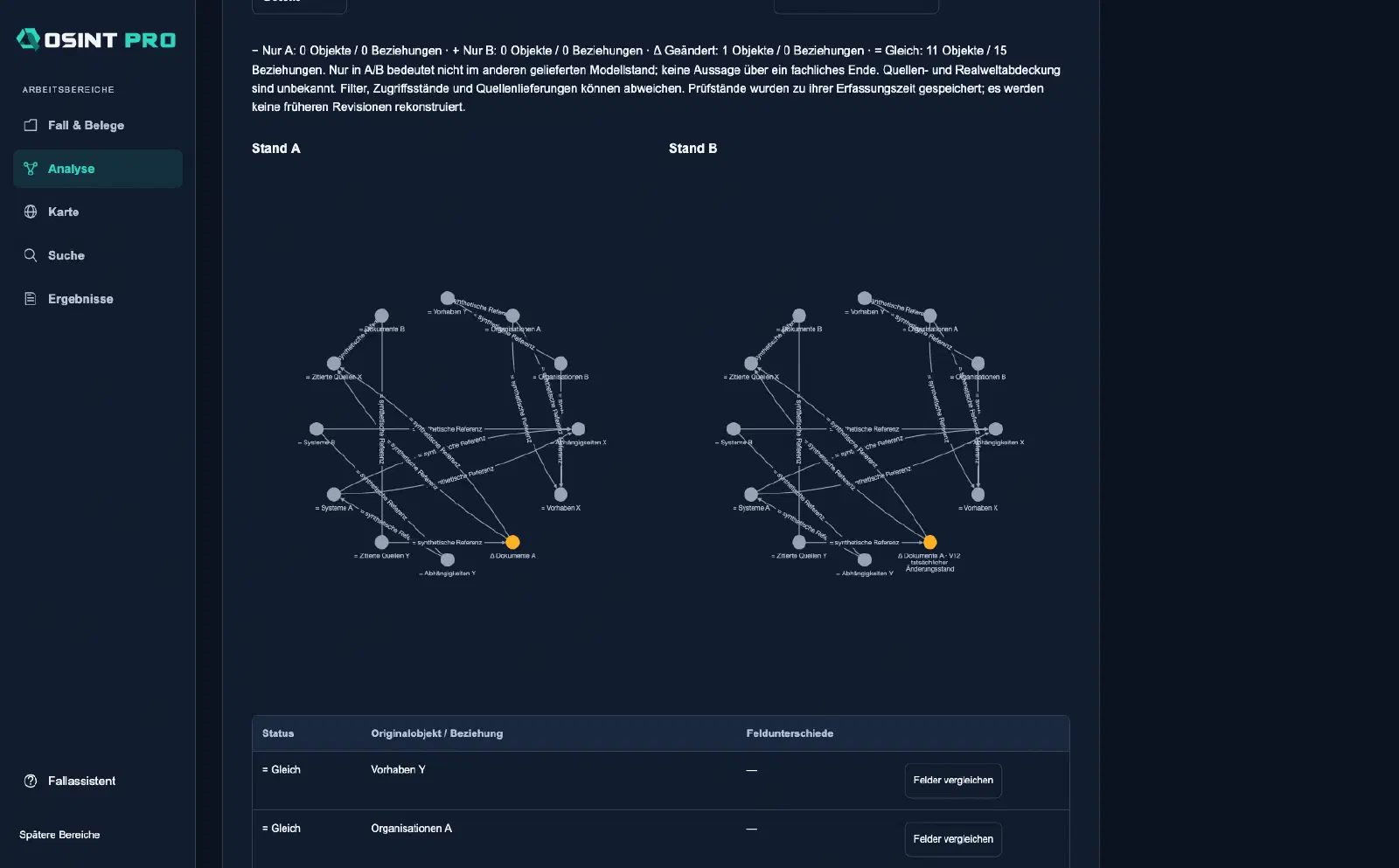
Two saved relationship networks with highlighted changes and field comparison. Original application capture containing only synthetic case data.
Newsrooms, research teams, compliance and internal investigations need more than a list of hits. Vectronis OSINT keeps questions, evidence, relationships, analyses and conclusions in the same case. Original material remains distinct from derived statements; a search result is not a verified fact.
Import, OCR, extraction and structured mapping bring different sources together. Semantic questions help locate relevant passages. Web research and source adapters extend your own collection where access and usage rights permit. Provenance, capture time and processing context support later review.
Turn unstructured content into structured data: Text, PDFs, notes and web content are prepared as traceable records, for example people, companies, places, dates, amounts and relationships. OCR, extraction and mapping profiles support this process. Uncertain assignments remain visible for review; original sources and citations stay linked to the structured fields for use in tables, networks, maps and reports.
Explore connections on an editable canvas, focus on relevant objects and compare saved states. Matrix and timeline views complement the graph; maps add spatial context. A visualisation supports analysis while the original sources remain available for verification.
Reverse geocoding associates coordinates with a suitable address. Publicly listed residents, businesses and phone numbers can then be looked up for that address. Directory entries are associated only when the postal address matches; the source and available fields remain traceable. A missing listing does not establish that someone does not live there; coverage and access depend on the directory.
The case assistant supports questions and working steps. Responses can take the form of text, tables, reports, networks or geographic layers. Review citations, input data and proposed deductions before accepting them. An AI suggestion does not automatically establish a judgement about a person.
The report workspace and case packages connect findings with provenance and revision state. DOCX, PDF, CSV, JSON, SVG, HTML and geographic formats serve different outputs. Apps, plugins and MCP provide connections to additional tools. Source rights, available data and configured capabilities determine each workflow.