Build a clear study plan
Record the research goal, hypotheses, study population, inclusion and exclusion criteria, and outcomes together. An eleven-stage workflow highlights missing information and the prerequisites to review before analysis.
Vectronis Stat
From the research question to a traceable result, Vectronis Stat guides the entire analysis workflow. Import data, review its quality, choose appropriate methods and read tables and charts in the context of your study. Your AI assistant supports the work through MCP; R performs the statistical calculations.
Discover Vectronis StatFor Mac and web.
MCP · Model Context Protocol
MCP connects your own AI assistant to the project workflow in Vectronis Stat. It can guide the next step and initiate analyses through the available tools. The interface and AI share the same project state; R performs the statistical calculations. Human privacy approvals remain mandatory.
Preview / Vectronis Stat
Record the research goal, hypotheses, study population, inclusion and exclusion criteria, and outcomes together. An eleven-stage workflow highlights missing information and the prerequisites to review before analysis.
Preview CSV, Excel, SPSS, Stata, SAS, RDS/RData, JSON and Parquet files. Check columns, import options and missing values while preserving the original file. Applicable formats support worksheet or object selection.
Explicitly set variable types, units and roles. Data-editor changes create new working versions while originals and earlier results remain intact. Restoring data creates a new version instead of overwriting history.
Anonymise research data locally and review direct identifiers, indirect identifying attributes and residual risks. A mandatory privacy review with human approval ensures that only data approved as anonymised enters statistical analysis and AI-assisted processing. Unresolved checks block approval; changes and decisions remain traceable.
Group comparisons, correlations, regressions and survival analyses are calculated in R. Tables and appropriate charts present estimates, uncertainty and methodological guidance. Saved results remain linked to their data version, parameters and calculation provenance.
The German and English manual combines search, examples, original sources and guided questions. Research goals, variable types and study design lead to reasoned suggestions; selecting a method neither starts a calculation nor replaces review.
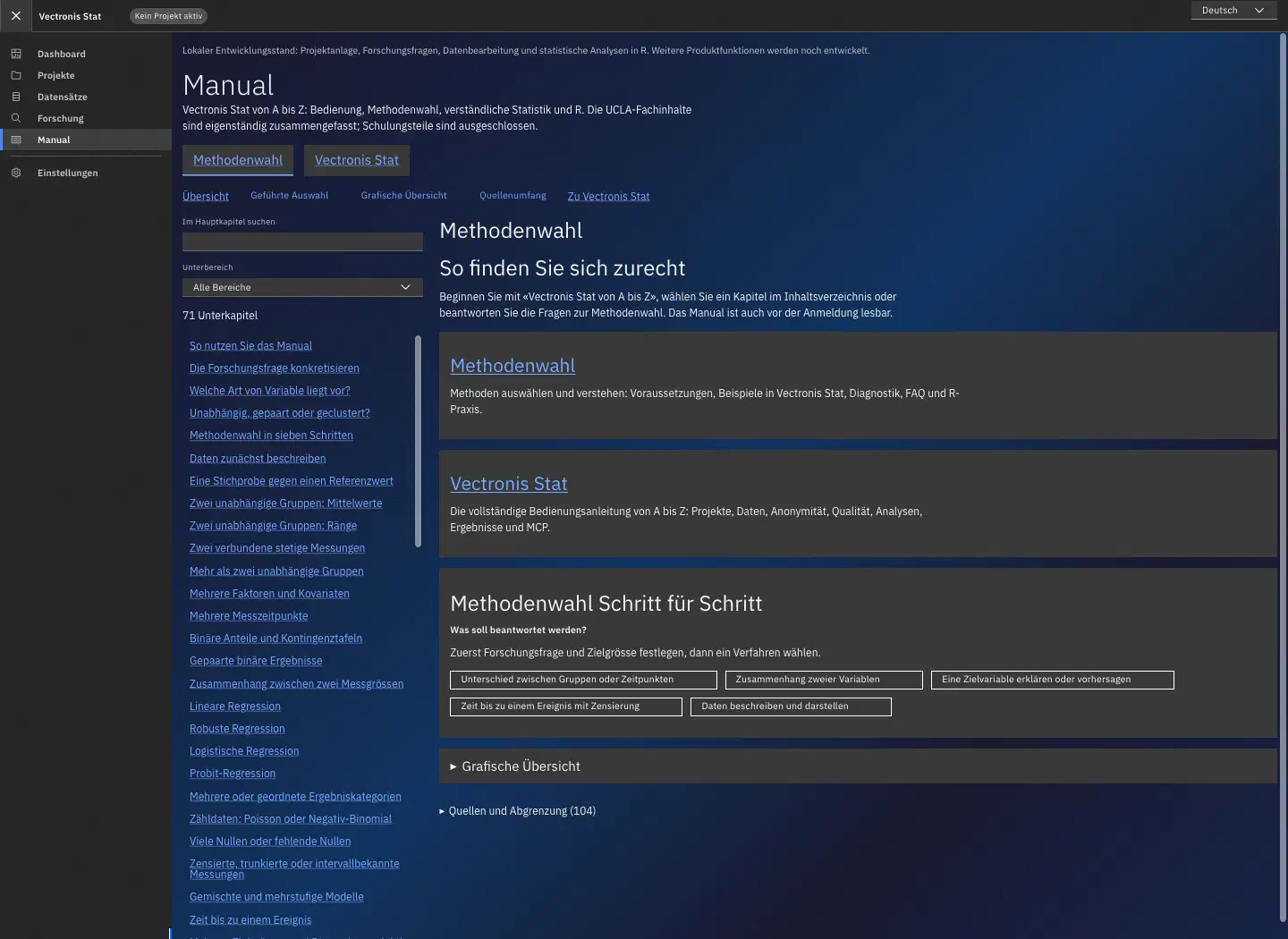
Method manual with search and guided selection of statistical procedures.
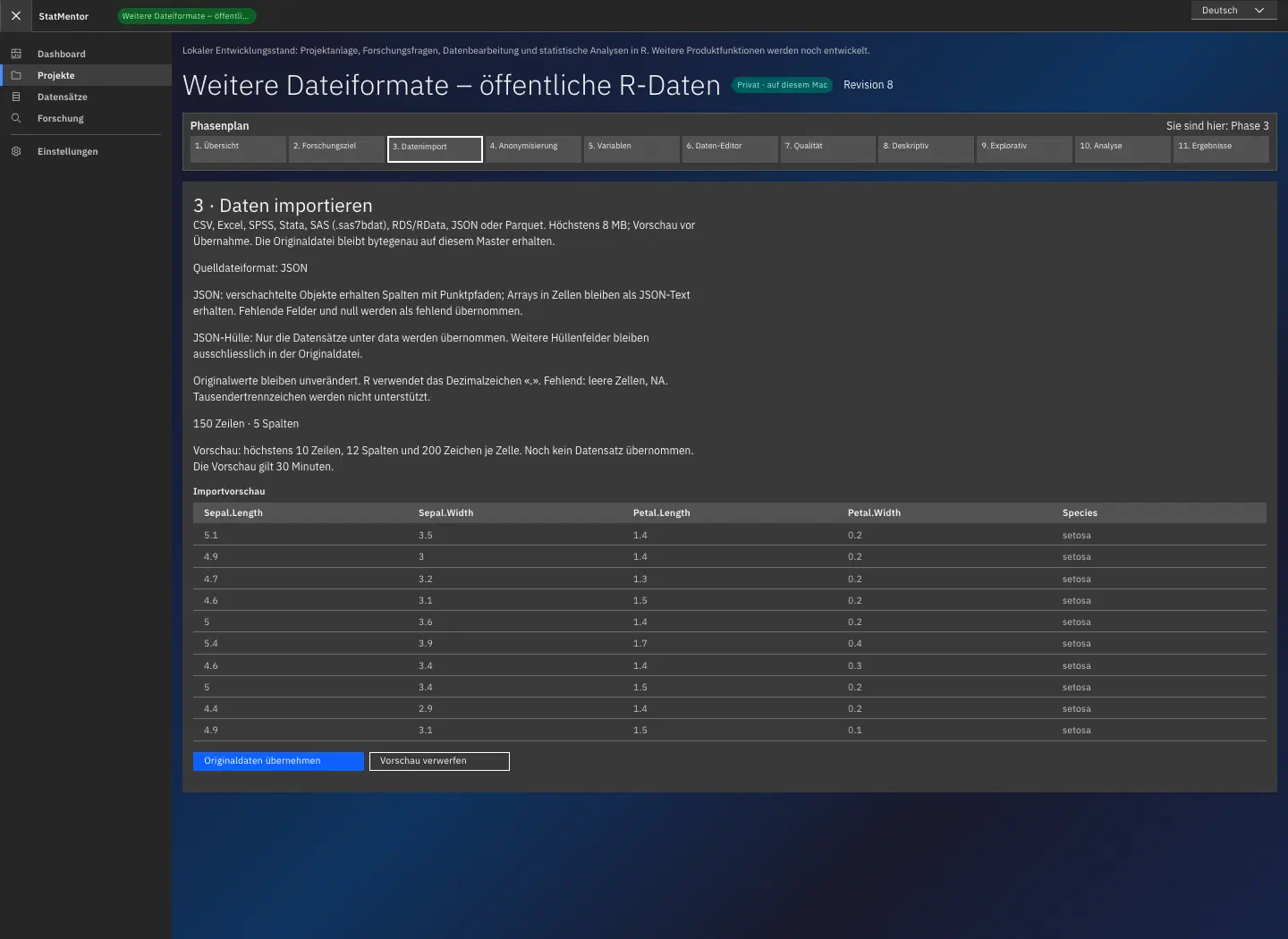
Import preview using the public R iris example dataset: flower measurements as JSON, with no personal data.
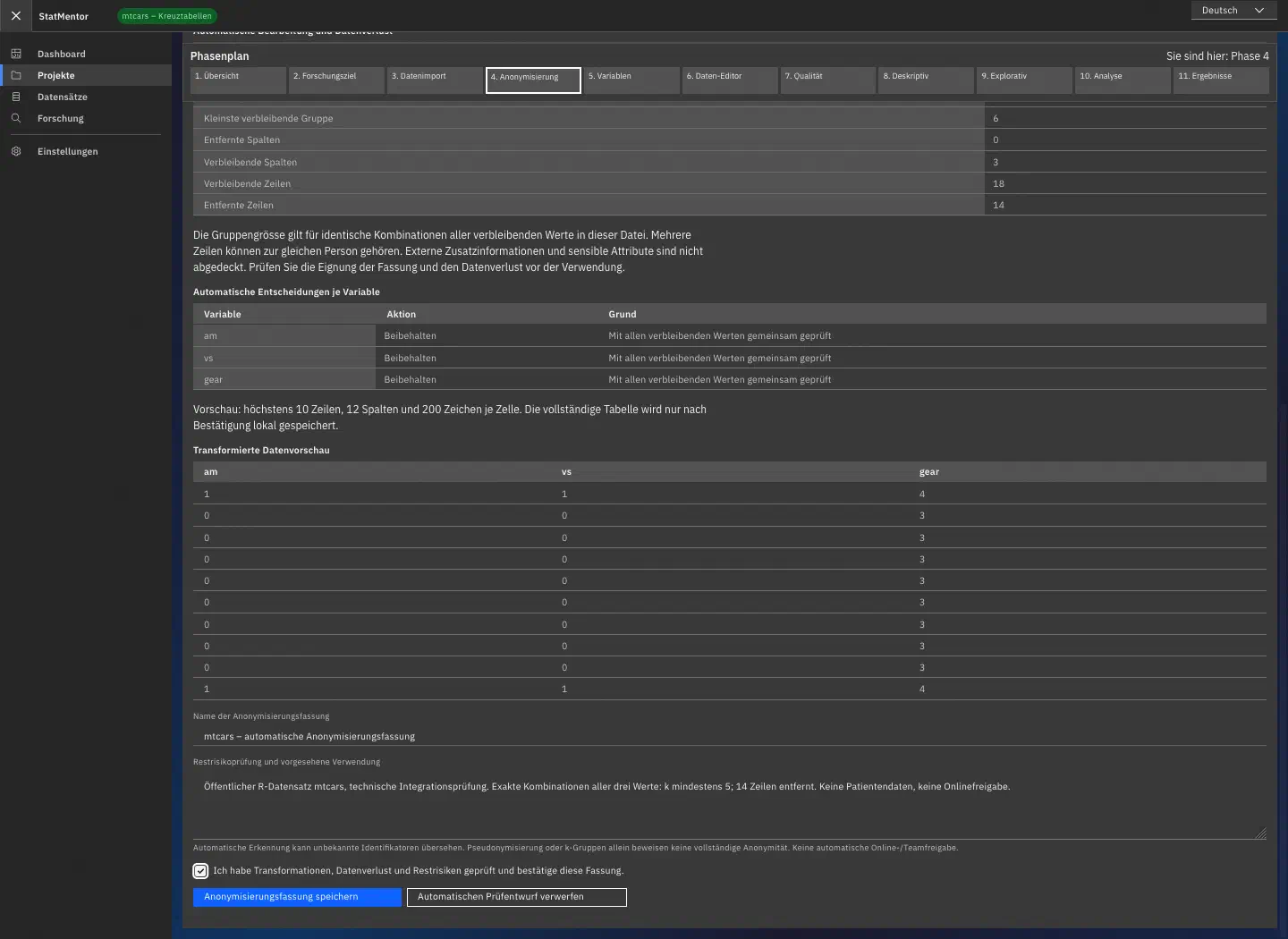
Local anonymisation preview using the public mtcars vehicle dataset: review transformations, data loss and approval.
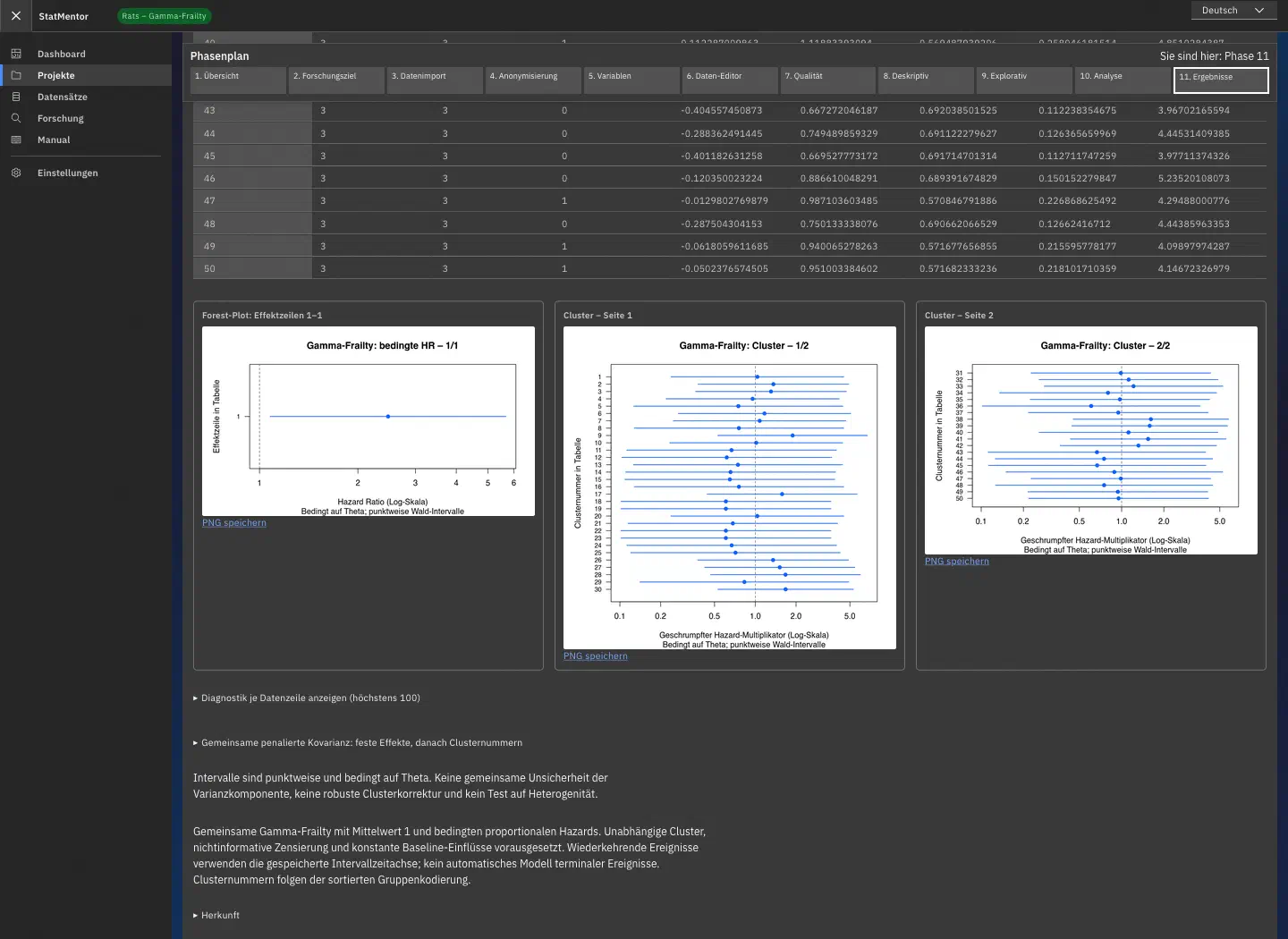
Forest and cluster plots from an R analysis of the public survival::rats example dataset; no patient data.
Vectronis Stat is designed for medical research teams, clinicians and students. Start with the study population, inclusion and exclusion criteria, hypotheses and endpoints. A guided workflow shows what information is required and how to progress from raw data to an analysis you can trace.
Compare treatment groups, investigate relationships between factors and outcomes or analyse time to an event. Group comparisons, correlations, regressions and survival analyses connect the medical question to an appropriate statistical method. Tables and charts present estimates, effect sizes and uncertainty in context.
Import previews, clear input steps and guided method selection support everyday work. The integrated manual explains methods through examples and original sources. See which data, checks and settings underpin an analysis.
Through MCP, your own AI assistant follows the same project workflow and can call the available analysis tools. Calculations remain with R, with privacy approvals and quality checks preserved. Saved data versions, parameters and results keep analyses traceable; corrections do not overwrite originals or previous results.